Media
Add a media panel when a page needs a photo, logo, or diagram from an allowed host or an inline raster.
What you can do
srcis not free-form: only a same-origin path, anhttpsURL on a dvt-controlled asset host (dvt.dev,assets.dvt.dev), or an inline rasterdata:URI (png,jpeg,gif,webp,avif) is allowed; anything else renders empty.fitiscover(default),contain, orfill;roundedistrue(12px), a number of pixels, orfalse.altis the accessible description;captionrenders beneath the image.
Applies to a media panel only; it carries no data block and accepts no onClick.
Spec
View spec
{
  "id": "cover-photo",
  "type": "media",
  "title": "",
  "spec": {
    "src": "https://dvt.dev/demo/dvt-demo-poster.jpg",
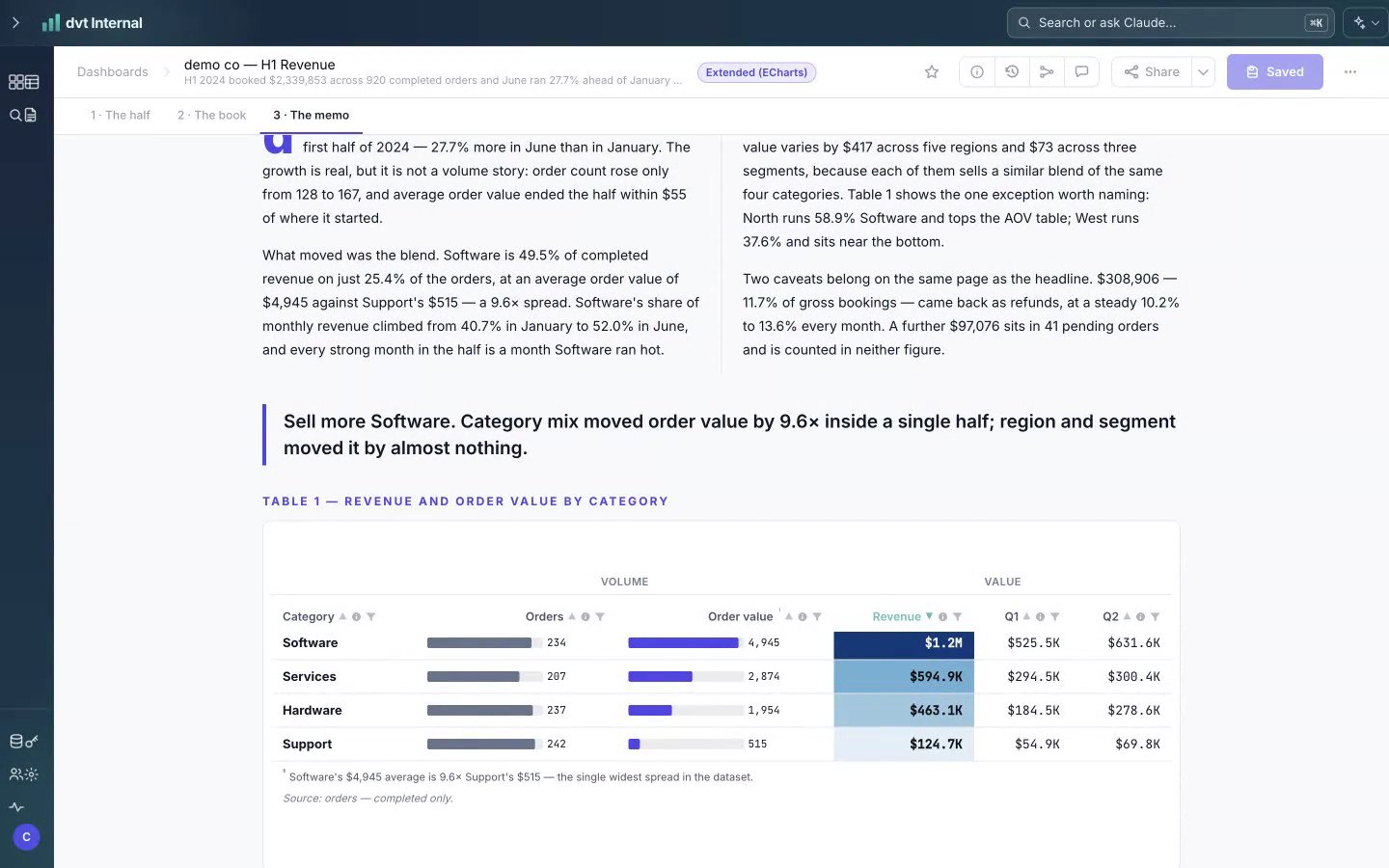
    "alt": "A page of a dvt dashboard: two columns of prose, a pull-quote, and a revenue table with in-cell bars",
    "fit": "cover",
    "rounded": 12,
    "caption": "A page from a dvt dashboard."
  }
}
The image comes from dvt.dev, an allowlisted host; fit: "cover" fills the panel and rounded: 12 equals the radius rounded: true would give.
Try it live
Open the feature-tour template in the Builder
Open the feature-tour template, page chart-library, panel ft-media for a media panel that carries its image as an inline data: raster.
Build it in dvt
Every block on this page is a few lines of the same declarative JSON spec. Read the full spec format, or connect an AI agent to your warehouse and build one live in the quickstart.
Follow the build
dvt is in founding research. Leave your email and we'll reach out when there's something to see — no newsletters, no noise.